Little Beacons

Stay close to the communication that matters.

Little Beacons is the companion app for a parent or carer. It receives Little Messages, sends replies back to the child, keeps local backups and can request private Communication Insights from Little Talks.

Local connection Parent replies Local backups
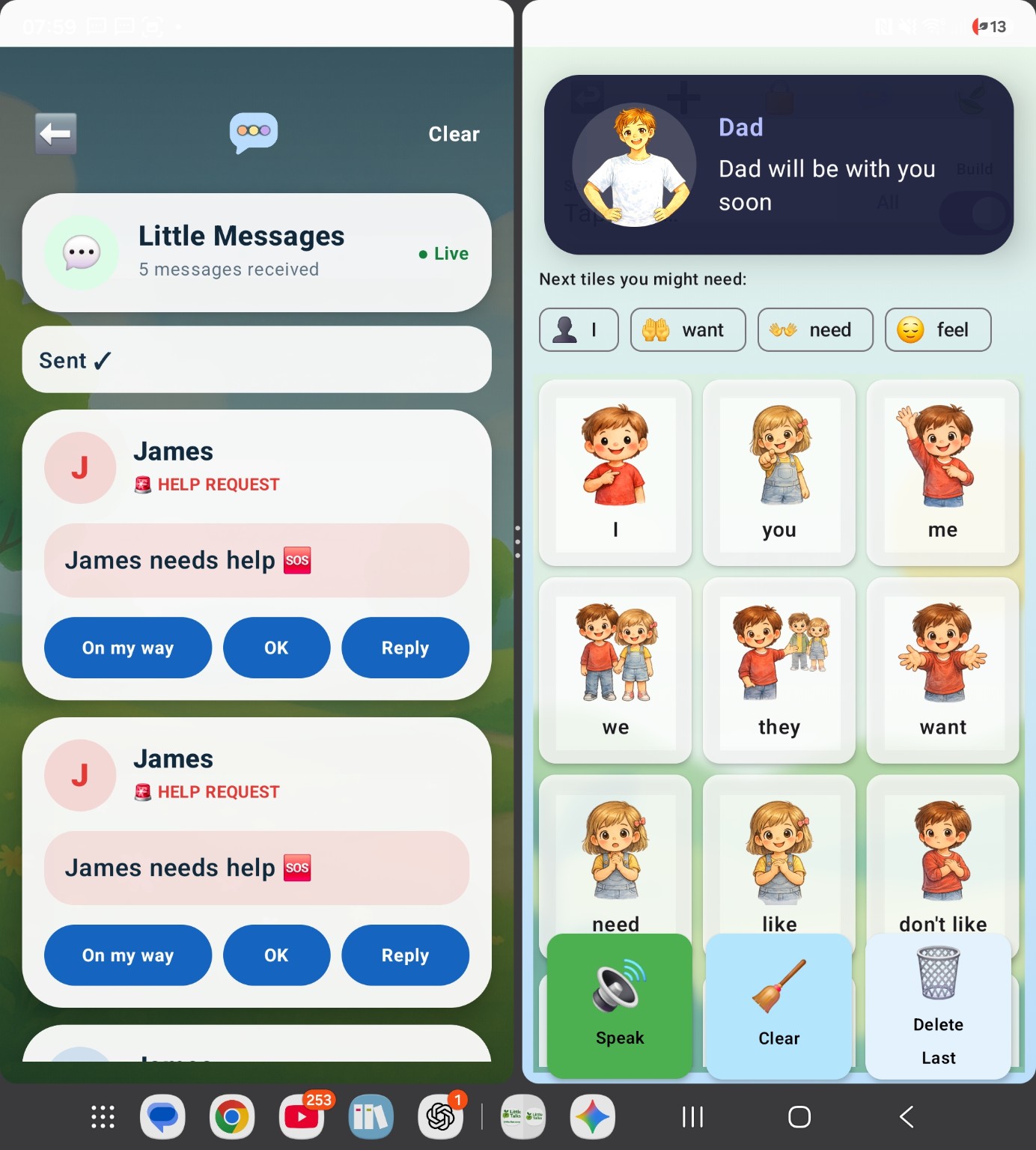
Little Beacons showing received Little Messages and quick replies
Receive requestsLittle Messages arrive locally
Reply clearlyOn my way, OK or a custom reply
Keep a profileChild photo, last seen and backups
See patternsPrivate Communication Insights
Little Messages

A simple request can become a simple response.

Little Messages gives the child a quick way to ask for something important and gives the parent or carer a clear way to answer.

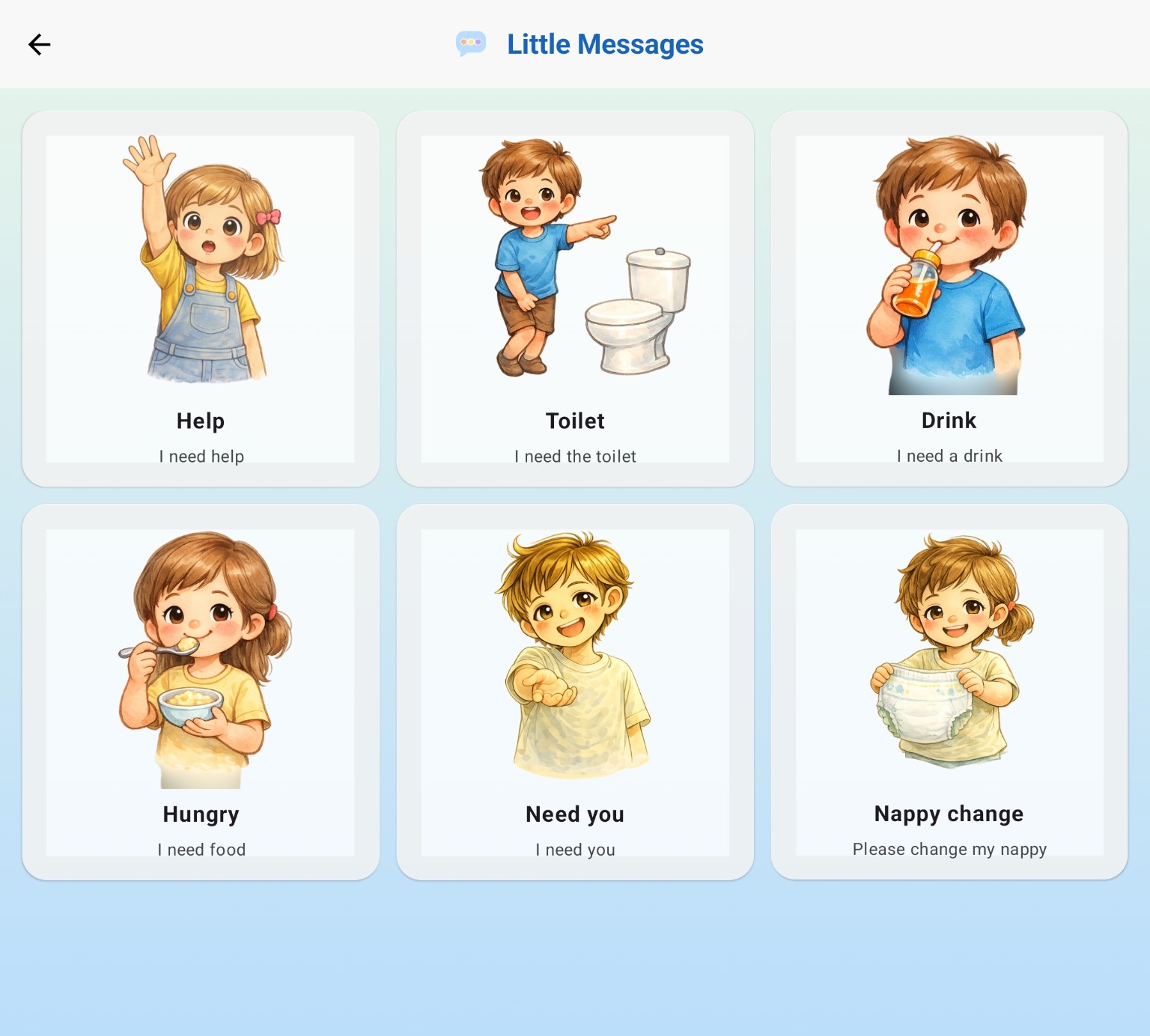
Little Talks Little Messages options including Help, Toilet, Drink and Need you
1

The child chooses

Important requests such as Help, Toilet, Drink, Hungry, Need you and Nappy change stay easy to find.
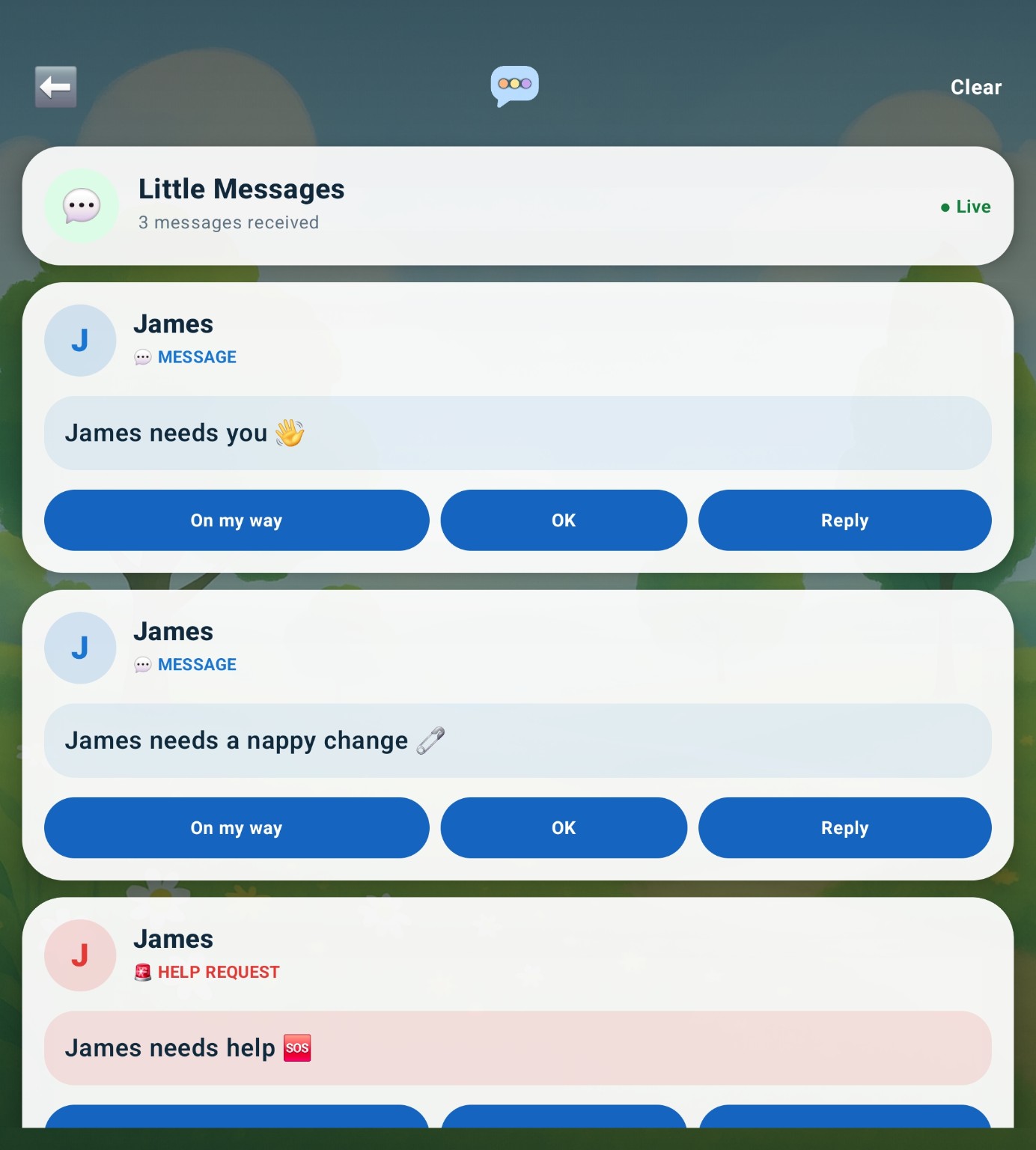
Little Beacons receiving messages with On my way, OK and Reply buttons
2

Little Beacons receives it

The parent or carer can see what was requested and respond immediately with a quick reply or their own message.

Little Beacons reply appearing back on Little Talks with a familiar parent image
3

The reply comes back

Little Talks shows the response back to the child, helping make the communication loop visible and understandable.

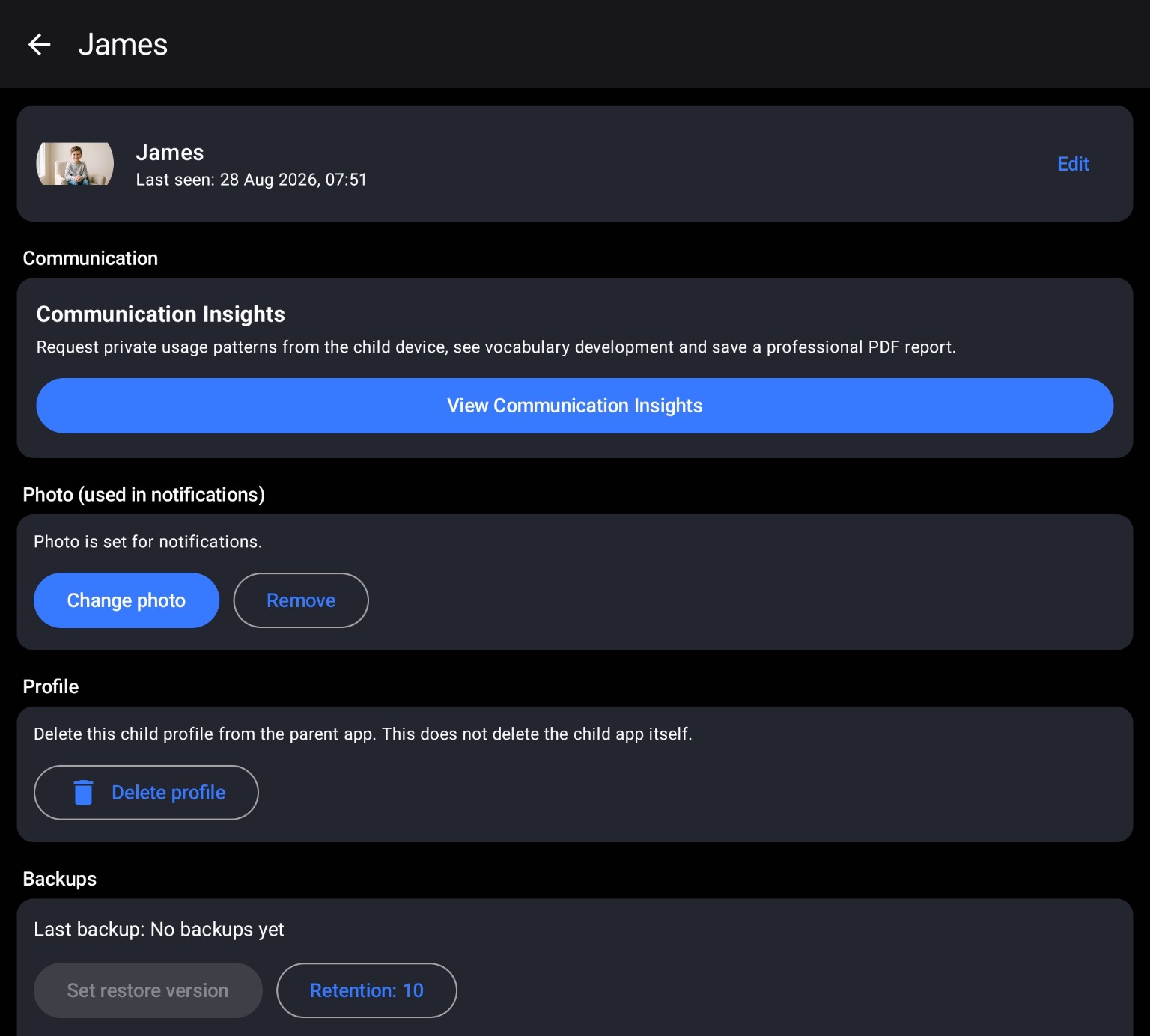
Little Beacons child profile with photo, last seen, Communication Insights and backups
One child. One place.

Keep the important bits together.

A child profile can hold a familiar photo, show when the child app was last seen, provide access to Communication Insights and manage local backups.

Child photoUsed in Little Beacons notifications.
Last seenA simple local connection status.
BackupsKeep snapshots of the child app on the parent device.
Local backups

No cloud account. No Little Talks server holding the backup.

Little Talks can send a snapshot of its settings, tiles, images and recordings directly to the paired parent device over the local connection.
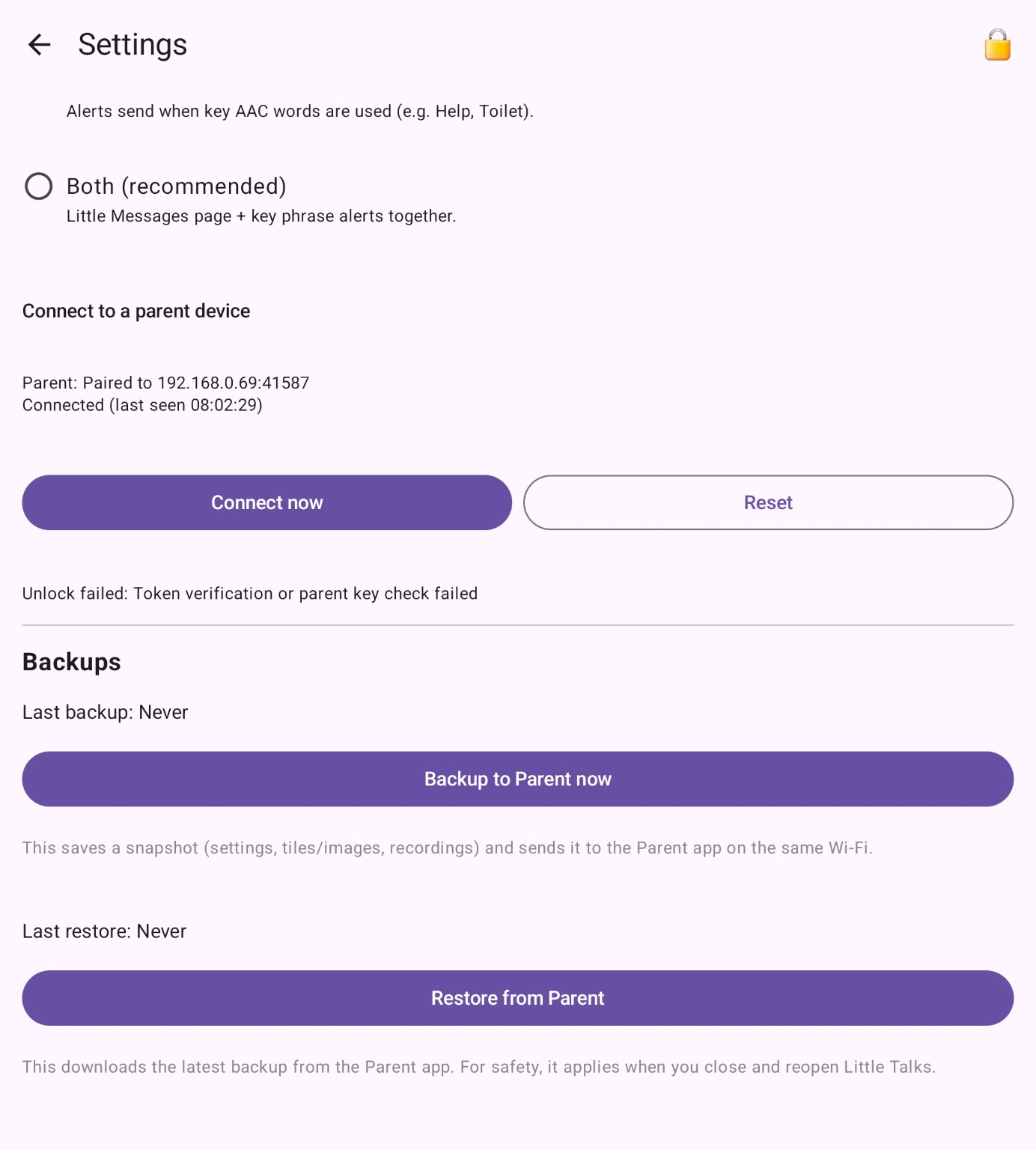
  • Backup from the child app to Little Beacons
  • Restore back to the child app when needed
  • Backup data stays between devices you control
Read our privacy approach →
Little Talks Little Talks local backup controls showing Backup to Parent and Restore from Parent
Little Beacons Little Beacons child profile showing the local backups area
Communication Insights

Useful patterns, not surveillance.

When the feature is enabled, Little Beacons can request an aggregated report from the child device. The report focuses on communication patterns such as vocabulary, message length and prediction use.

SelectionsHow often words or symbols are chosen
VocabularyUnique and emerging words
Prediction useHow often suggested tiles are selected
Time patternsCommunication grouped by time of day

Audio, location and unrelated device activity are not collected for Communication Insights.
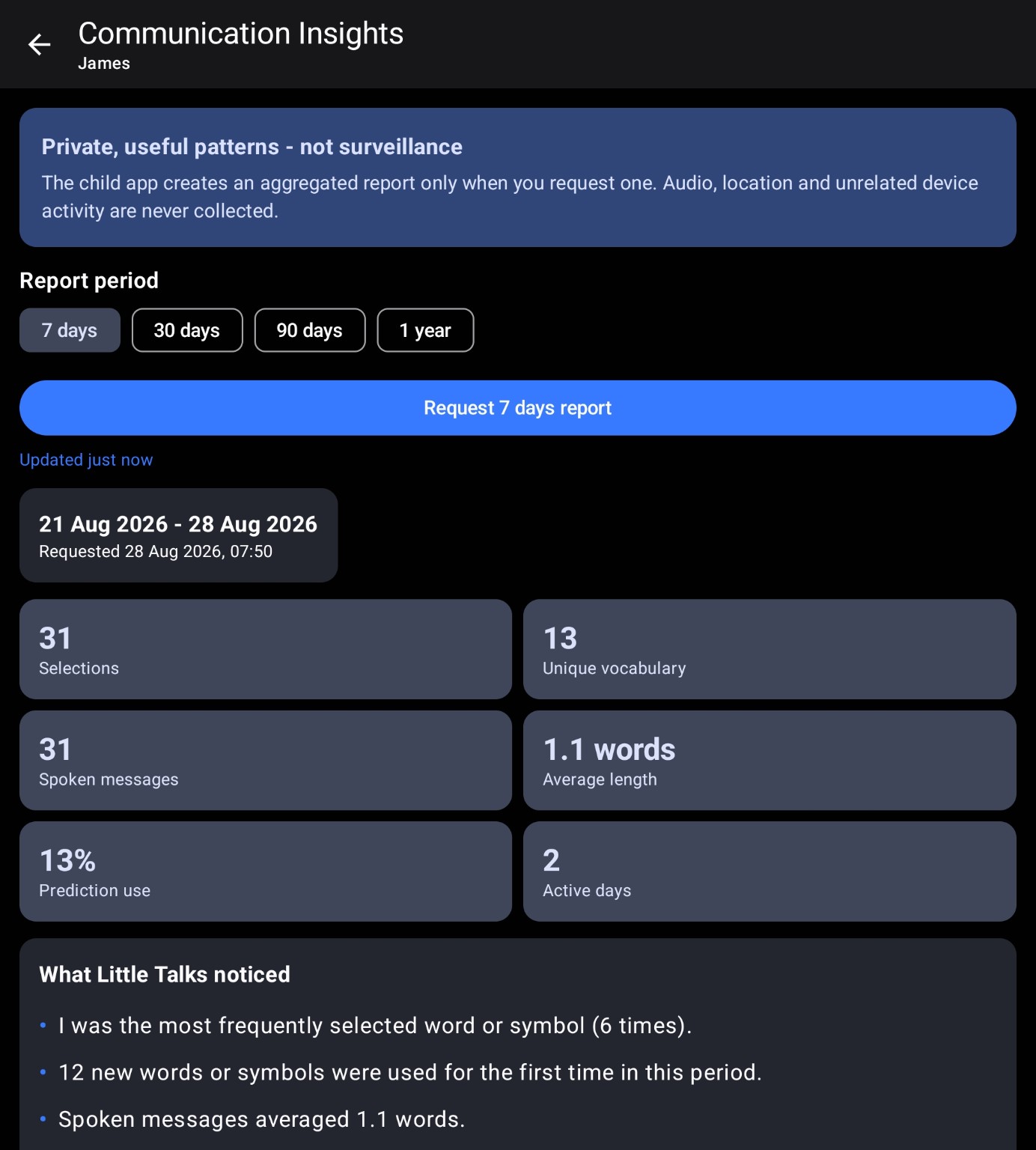
Little Beacons Communication Insights showing selections, vocabulary, spoken messages and prediction use
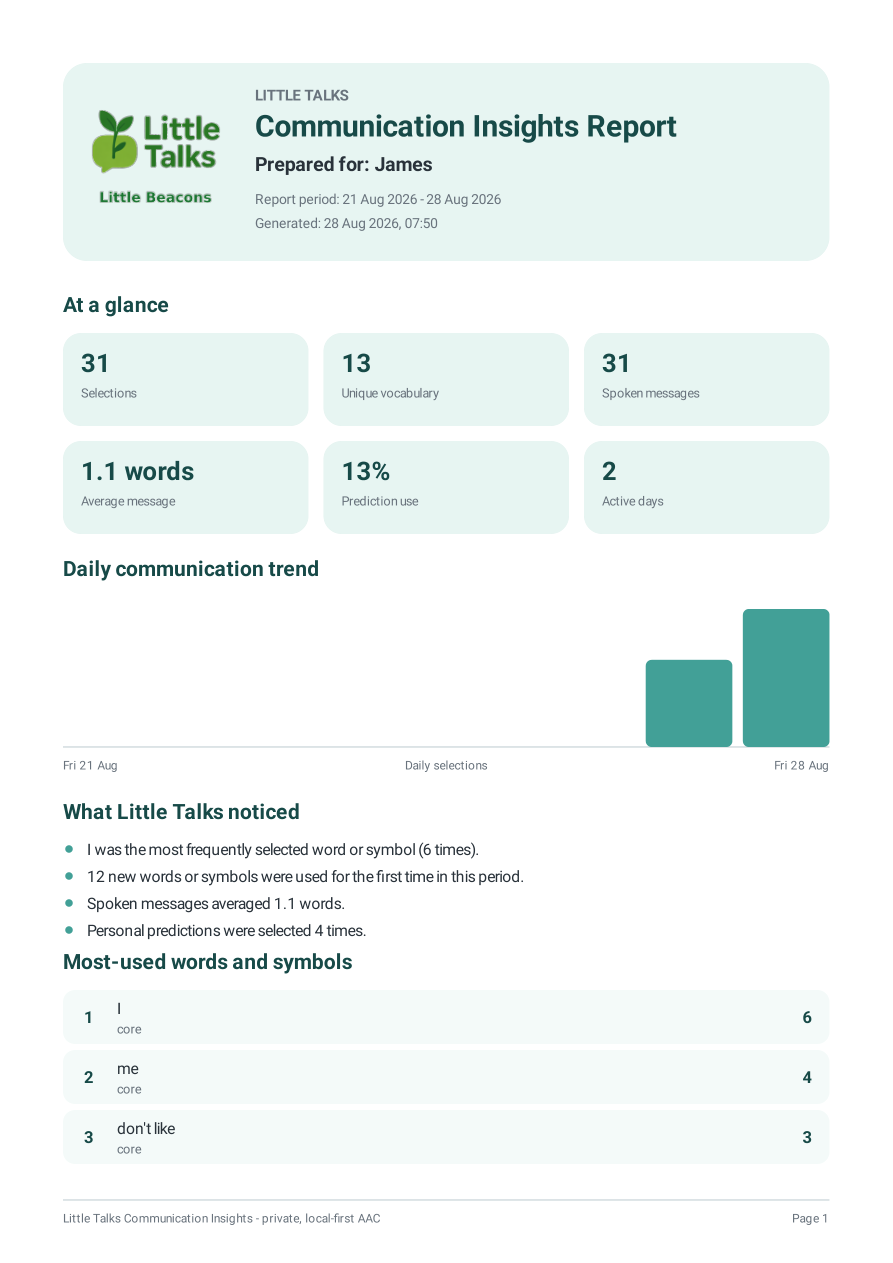
Page one of a Little Talks Communication Insights PDF report
Professional PDF report

Turn the patterns into something you can actually share.

Communication Insights can be saved as a PDF report, giving parents, carers and professionals a clear summary of communication patterns without including raw event history.

  • At-a-glance usage metrics
  • Daily communication trend
  • Most-used words and symbols
  • New and emerging vocabulary
  • Privacy and interpretation notes
Open sample PDF

The current development sample uses test data and will be anonymised before the public website goes live.

Local-first by design

The parent app is a companion, not a cloud account.

Little Beacons communicates with Little Talks locally. Messages, replies, backups and requested reports move between the devices you control rather than through a Little Talks server.

Read the privacy approach →
Start with the child app

See Little Talks AAC.

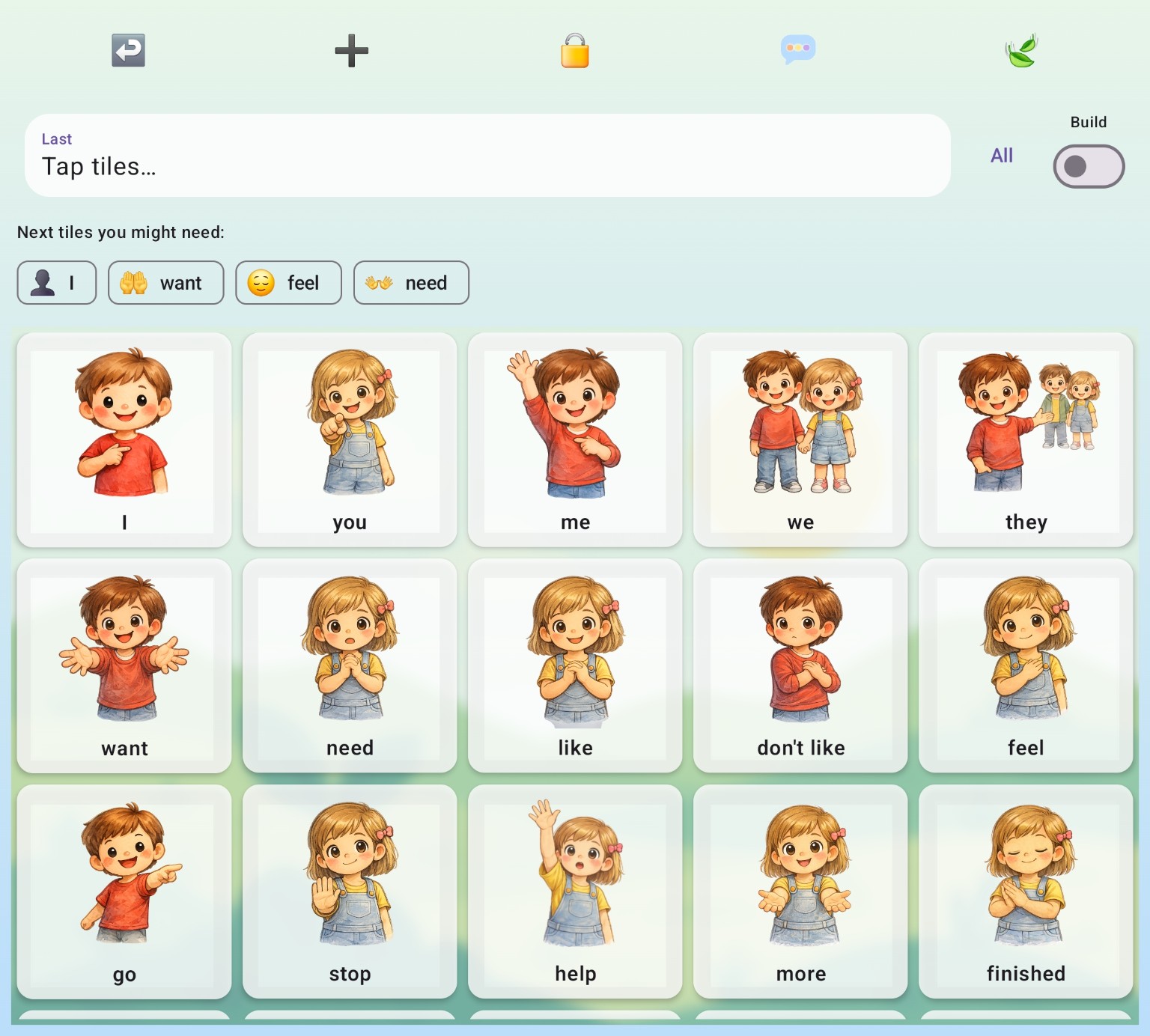
Little Talks is where the child builds words and sentences, uses predictions, personalises tiles and sends Little Messages.

Explore Little Talks
Little Talks AAC board